

A stack of forms can turn into an unexpectedly physical chore. You lean forward to read tiny print, brace one wrist against the table, pinch a pen harder as you get tired, and keep going because there are only “two more pages.” When you finally stand up, your neck feels fixed in place and your fingers are cramped.
The problem is not that paperwork requires exceptional fitness. It is that a flat table asks your head, eyes, hands, and shoulders to do several awkward things at once. A few small setup changes can make an occasional session—or a weekly bill-paying or journaling habit—much more comfortable.
The goal is not a picture-perfect office. It is to create a temporary writing station that brings the work closer to you, gives your arms support, and makes stopping before fatigue builds easier.
Notice what a flat table makes you do
Paper lying flat is low relative to your eyes. To see it, many people bend their neck and round their upper back. At the same time, the table can be a little too high for relaxed shoulders or too far away for supported forearms. The hand then compensates: it grips the pen, presses down hard, or bends the wrist sideways to keep the page from moving.
This combination matters more than any one posture. A comfortable chair does not help much if the print is dim and the document is at the far edge of the table. A better pen does not fully solve a setup that leaves both forearms hanging in the air.
Paperwork gets harder when every part of the body is quietly doing extra work. Reduce the extra work before trying to power through the task.
Raise the page before you lower your head
The most useful change is usually an angle under the paper. A slanted surface brings the document into a more visible position, so you can look down with less neck bending.
Make a simple writing slope
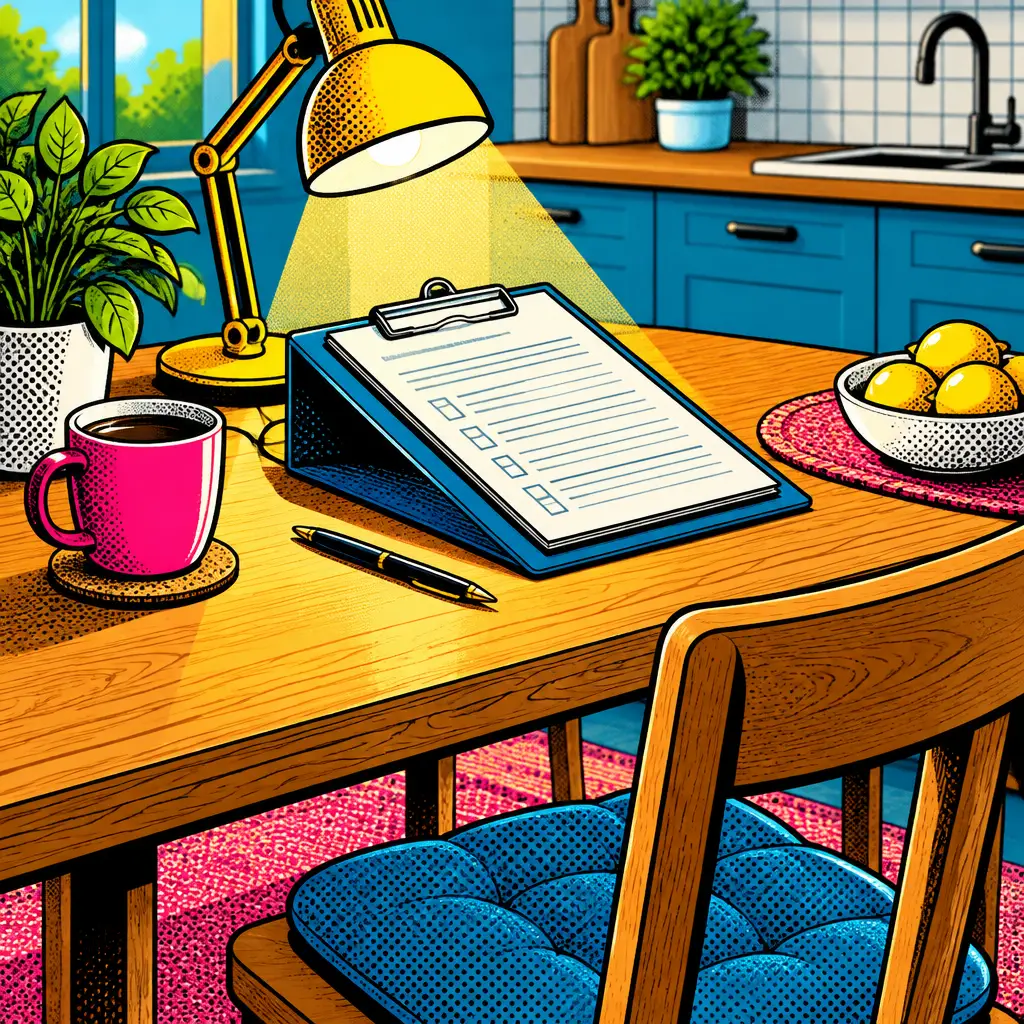
A commercially made document holder is optional. For occasional work, use a firm three-ring binder, a sturdy box with a flat top, or a cookbook stand that holds paper securely. Put the higher edge farther from you and the lower edge near your body. The slope should be stable enough that you do not have to hold it in place while writing.
Place the page on a non-slip shelf liner, a clean dish towel, or a thin folder if it slides. A clipboard is especially helpful for multi-page forms because it keeps pages aligned and provides a firm writing surface.
Do not make the angle so steep that your wrist has to bend sharply upward to write. If that happens, lower the slope, move the page down on the support, or use the angled surface mainly for reading and lay the page flatter only for the lines you need to complete.
Keep the active page close
Put the page close enough that your upper arms can rest near your sides. Reaching across a broad table encourages forward head posture and makes the shoulder muscles work continuously. If the table is deep, sit on the long side and pull the task toward you rather than working from the far edge.
Keep reference papers upright or slightly angled beside the active form instead of spreading them in a wide arc. You will make shorter, calmer eye and head movements when the information you are copying is nearby.
Give your arms a place to land
Writing seems like a finger task, but a relaxed hand depends on support farther up the arm. Before starting, slide your chair in until your feet are supported and you can rest at least part of each forearm on the table without hunching your shoulders.
If the table edge feels hard against your forearms, lay a folded hand towel along the edge. This is not a substitute for adjusting your position, but it can make a long form less irritating. Avoid piling up thick padding that raises your arms too high and forces your shoulders toward your ears.
It also helps to stabilize the paper with the non-writing hand. That may sound obvious, but people often use that hand to hold a phone, flip through an envelope, or hover over the next document. Give it one clear job: keeping the current page from drifting. The writing hand can then use less force.
Choose the easiest pen you already own
A pen that skips, requires heavy pressure, or has a very narrow barrel can make a short signature feel like work. Test a few ordinary pens on scrap paper. Choose one that writes smoothly with a light touch and feels easy to control.
If a slim pen makes you squeeze, a soft grip or a simple foam sleeve can create a wider hold. The purpose is not to lock your fingers into a particular grip. It is to reduce the urge to pinch tightly. Keep a spare nearby so a fading pen does not tempt you to press harder.
When possible, use a darker ink on light paper and write in good light. Straining to see often leads to straining to hold the pen.
Light the page, not the room behind it
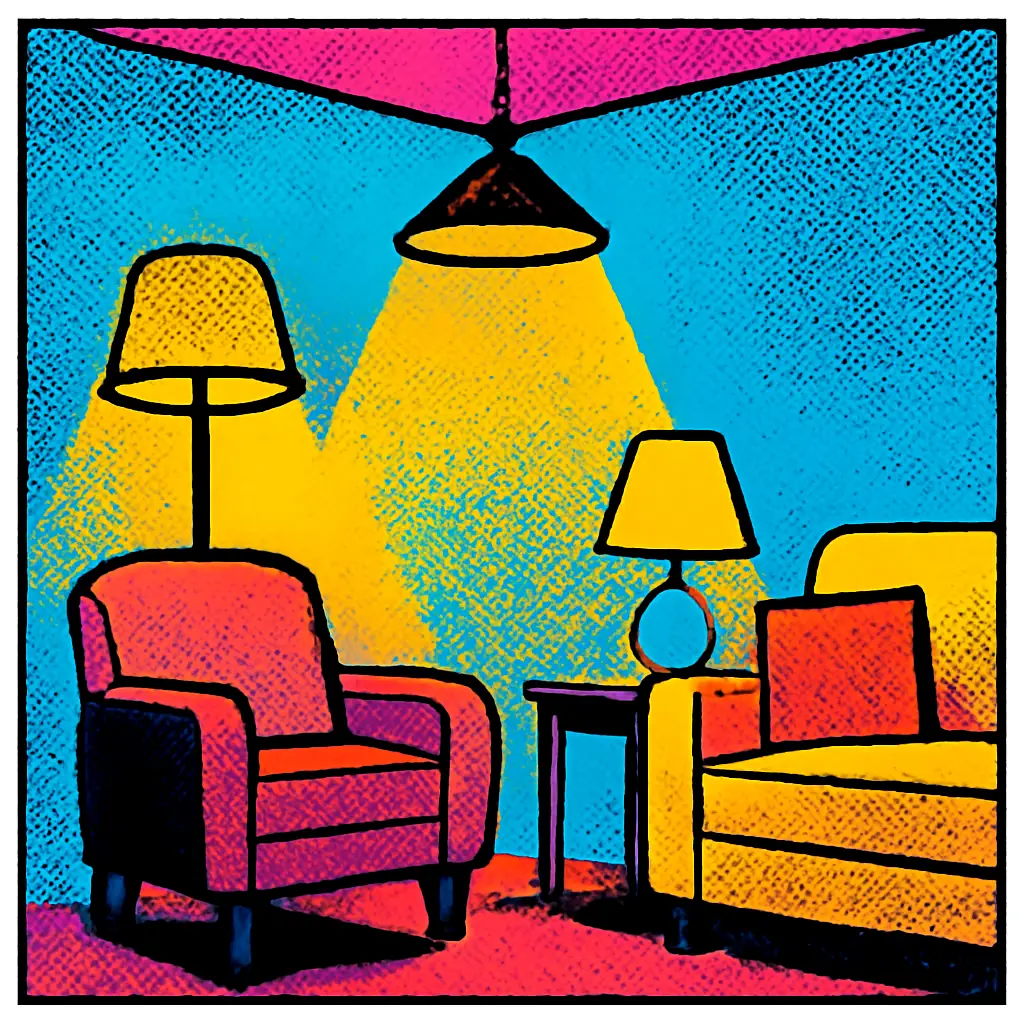
Overhead lighting can leave your own hand casting a shadow over the line you are trying to read. A movable lamp aimed at the paper can improve contrast and reduce the repeated lean-in that happens when print looks murky.
Set the lamp to the side opposite your writing hand. For a right-handed writer, light from the left often keeps the hand’s shadow off the working area; reverse this if you write with your left hand. Adjust it until glossy paper does not throw glare directly into your eyes.
Daylight can be helpful, but avoid facing a bright window if the page looks darker by comparison. Turn slightly sideways to the window or draw a sheer curtain if needed. Good lighting is not about making the room brilliantly bright. It is about making the actual words and lines easy to distinguish.
Separate reading, sorting, and writing
A mixed pile makes the body stay in one position too long. You read an instruction, search for a statement, answer a question, then hunt for an envelope—without ever truly pausing. A tiny workflow prevents that continuous, tense posture.
- Sort first. Make three small groups: action needed today, reference material, and items that can wait.
- Read instructions before writing. Prop up the form, identify what information it asks for, and gather that information.
- Write one section at a time. Keep only the current form in front of you. Put completed pages in a separate finished pile.
- Check while upright. Lean back briefly to review names, numbers, dates, or signatures before moving to the next item.
This approach reduces repeated twisting, page shuffling, and mental pressure. It also lowers the chance of handwriting a rushed answer into the wrong line.
Use a “stand-up point,” not a vague intention to take breaks
“Take breaks” is easy to ignore when the pile is annoying. A specific event is easier to follow: stand after each envelope, after each form, or after every page that requires concentrated writing.
During that pause, put the pen down, let both hands open naturally, and look at something farther away than the page. Roll neither your body nor your joints into a dramatic stretch if that feels uncomfortable. Simply changing position and walking a few steps can interrupt the fixed posture that builds during close work.
If you have many pages, alternate types of work. Read one page standing at a counter if that is comfortable, then sit to fill it out. Or handle filing and envelope preparation between writing tasks. Variety is often more useful than trying to discover one perfect position and holding it for an hour.
Fix common setup mistakes without buying equipment
The chair is too low
If your shoulders lift while your forearms rest on the table, sit on a firm folded blanket or a stable cushion. Check that your feet still have support; a sturdy box or footrest can help if they dangle. Do not perch on a soft, unstable cushion that makes you constantly rebalance.
The chair is too high
If your forearms angle sharply downward and you find yourself rounding forward, add foot support so you are not hanging from the chair edge. Then bring the paper closer and use a gentle document slope rather than trying to solve the problem by leaning farther down.
You keep looking at a phone for account details
Place the phone upright beside the paperwork rather than flat on the table. A simple stand, a mug used carefully as a brace, or a secure prop can reduce the repeated deep neck bend. Keep the screen locked or dimmed when you are not using it so notifications do not turn the session into an extended scrolling break.
Your handwriting deteriorates near the end
Treat that as a setup signal, not a character flaw. Check whether the page has shifted, the pen is fading, the light has changed, or your forearm has lost contact with the table. Reset those basics before continuing. If the task is not urgent, stopping at a clean breakpoint may be the most efficient choice.
An illustrative 20-minute paperwork session
Imagine you need to complete a one-page form, check two statements, and address an envelope. First, clear a space about the width of the active page and place a firm binder there as a slight reading slope. Put the form on a clipboard, set a smooth pen and the envelope within easy reach, and place reference papers beside the form.
Read the form once without writing. Then sit with your forearms supported and complete the first half. Stand to fetch or confirm any missing detail, then return to finish the remaining lines. Check the form while leaning back, sign it, and put it in a completed pile. Address the envelope as a separate final task rather than attempting to do everything while hunched over the same small area.
Nothing in this example is complicated. The difference is that the body gets several chances to reset instead of absorbing all the inconvenience of the task at once.
Know when comfort changes are not enough
Temporary tiredness after an unusually long writing session can happen. But pain, numbness, tingling, weakness, major vision changes, or symptoms that are persistent or worsening deserve individualized advice from an appropriate health professional. A setup adjustment can reduce ordinary strain; it should not be used to explain away concerning symptoms.
Set up your next session in two minutes
Before the next form, bill, card, or journal entry, do just three things: put a firm support under the page, place one smooth-writing pen within reach, and move a light so the words are clear. Then choose a definite stand-up point—such as finishing the first page. That small preparation makes a kitchen table far more workable without turning your home into an office.


Ad